
Shipping automation for Collmex
From Collmex order to parcel ready for dispatch
Connect Collmex, shipping services, printers and the packing station in one continuous workflow. Your team is guided step by step while documents, labels and individual shipping instructions are made available for each order.
 Shipping automation
The system behind it
Every shipping component in one interface
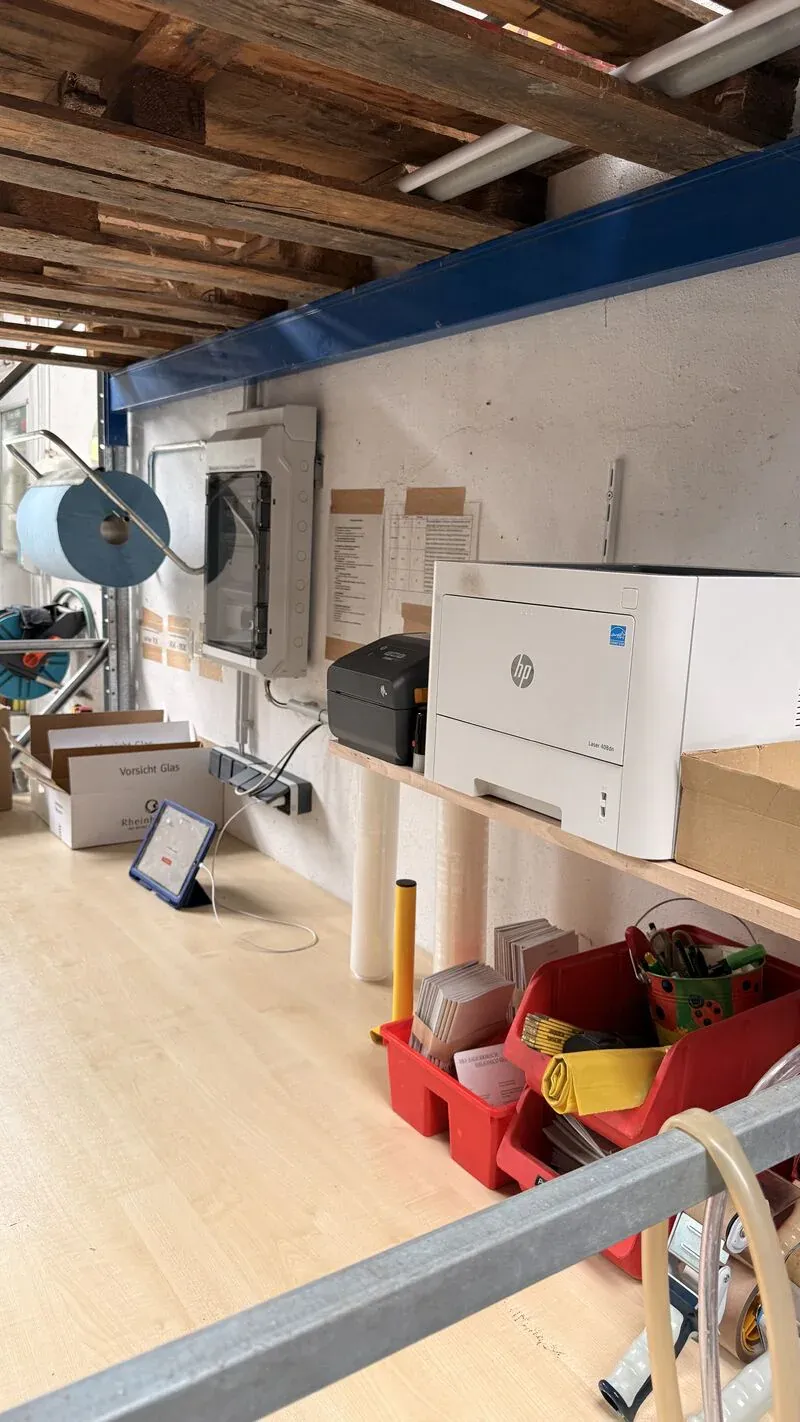
Shipping automation connects Collmex, the packing station, documents, shipping services and existing hardware. The exact modules depend on your actual shipping process.
One central shipping interface for Collmex customer orders
Once a customer order reaches the defined status in Collmex, it is transferred automatically to the shipping system. It is then ready to pack, while the admin dashboard tracks every delivery through a clear status model.
- Collmex remains the system of record
- The packing station follows a clear workflow
- Modules are combined around the process
- Extensions can be added at any time
Customer order and data
All relevant customer, order and shipping data from Collmex is structured and ready for further processing in the shipping interface.
Packing station and operation
The tablet-optimized interface supports staff at the packing station and displays customer-specific shipping and packing instructions. A signal light indicates new customer orders, disruptions and system status.
Documents and shipping
Invoices, delivery notes and shipping labels are available digitally or printed for each customer order.
Operations and extensions
Connected monitoring supervises data exchange and reports problems immediately. Interfaces, devices and workflows can be added at any time.
Example workflow
One order, one guided process
This is one possible route from a customer order in Collmex to a parcel ready for dispatch. The sequence, output timing and modules are adapted to each packing process.
- 01
Intake
The customer order is transferred from Collmex. The invoice and delivery note are printed immediately.
- 02
Picking
The required items are gathered. Optional digital picking shows items, quantities and storage locations.
- 03
Packing
Items, quantities and shipping documents receive a final check before the order is securely packed.
- 04
Booking
The shipment is registered with the carrier. The required shipping labels are then printed.
- 05
Dispatch
The parcel is sealed, labelled and placed for collection by the carrier.
Manual or automated
Less coordination. More reliable shipping
There are often more manual steps than necessary between a customer order and a parcel ready for dispatch. Shipping automation connects them in one clear, reliable workflow.
Discuss your shipping processCustomer orders require recurring coordination between office and warehouse
One shared system brings customer orders together and shows their processing status at any time
Invoices and delivery notes are printed and assigned manually
Invoices and delivery notes are issued automatically
Employees must complete preparatory shipping steps individually
The system handles recurring preparation steps automatically
Orders reach customers later than necessary
New customer orders can move straight to packing
Missed customer orders are sometimes only noticed later
The dashboard makes open deliveries visible early
New employees require extensive onboarding and recurring support
Multilingual process guidance shortens onboarding and makes staffing more flexible
Proven in real shipping operations
In daily use at Hause Kaltenthaler
Shipping automation is already in daily use at Hause Kaltenthaler. Since its introduction, the system has processed more than 1,000 customer orders. Anyone interested in seeing the workflow live can arrange a visit to the shipping operation.
Enwikuna completely rethought our shipping process. The solution reliably connects the warehouse, office and technology, reduces manual coordination and noticeably simplifies our team's daily work.
Implementation
From an existing shipping workflow to an automated system
We develop, configure and integrate shipping automation around your operation's workflows and technical environment.
01 Process review
We document shipping workflows, work areas, devices, printing routes and exceptions together with your team.
02 System build
We plan and build the system technology, configure devices and produce custom 3D-printed parts where needed.
03 Setup
We connect Collmex, shipping services, printing systems, tablets and hardware in one system.
04 Commissioning
We test the system with real customer orders and introduce it into day-to-day operations in close coordination.
05 Handover
We train employees and support reliable ongoing operation through monitoring and personal assistance.