
WordPress plugin

Enwikuna License Manager
Sell digital products and manage licenses centrally
Enwikuna License Manager connects the sale of digital products in WooCommerce with clear license management, activations and automated workflows.
- Digital delivery after purchase
- For WordPress with WooCommerce
- Compatible with WPML
- 01
License for one website
The product can be used on one production WordPress website.
- 02
One year of support
We provide personal help with installation and use for one year.
- 03
One year of updates
New versions, improvements and compatibility updates are included for one year.
- 04
30-day money back
The product can be tried under the conditions set out in our terms.
Feature set
All features at a glance
License table
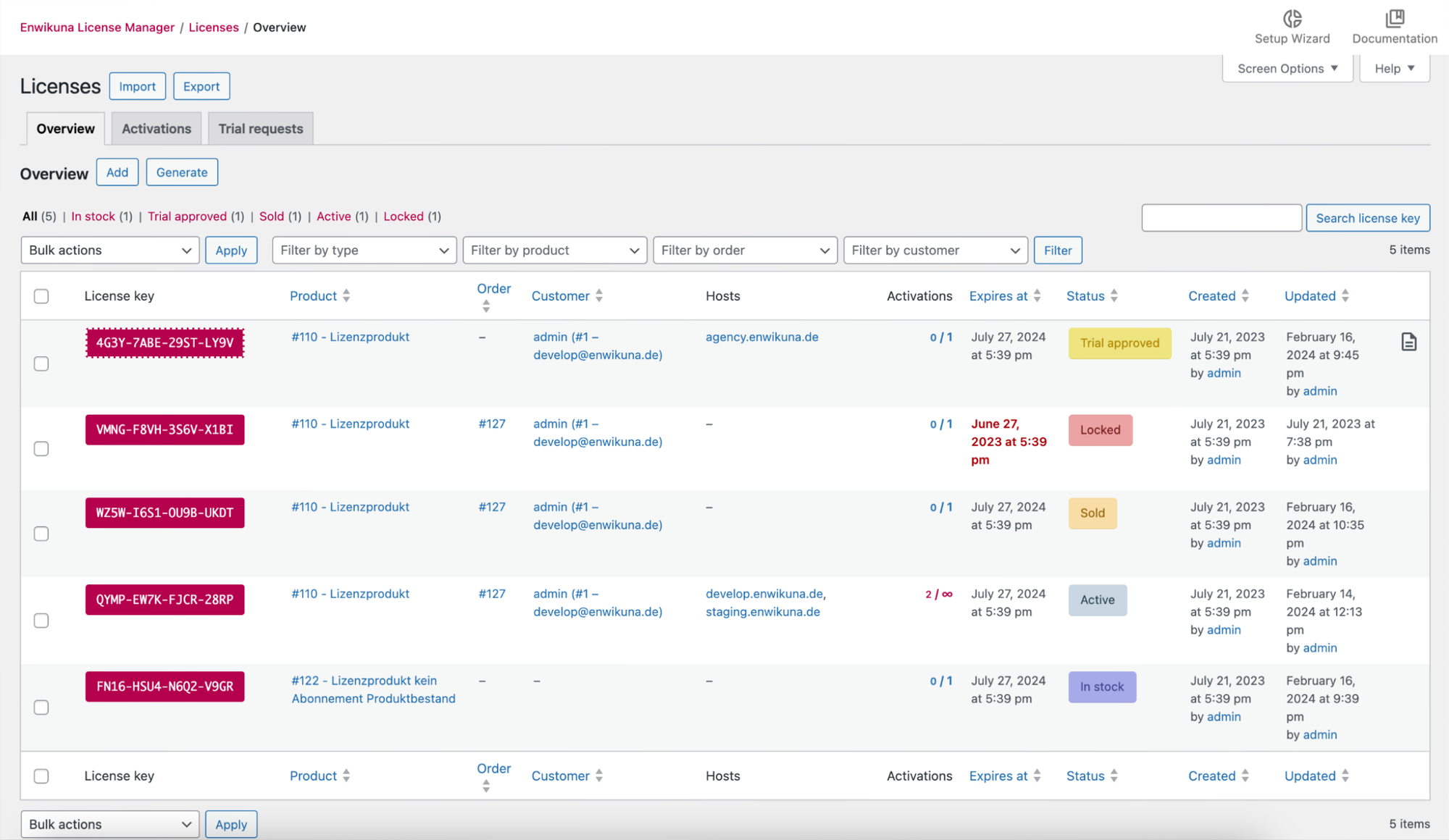
The central license table keeps every license in view and lets you find or edit multiple entries with filters, search and bulk actions.
Internal license notes
Internal license notes keep important information with the relevant license without making it visible to customers.
Lock licenses
If a license should not be used temporarily, you can lock it and release it again later.
License status model
The license status model shows where each license stands, from stock and trial approval to an active, inactive or locked license.
License encryption
License keys can be stored securely in the WordPress database using a dedicated encryption key.
License stock management
Stock management holds pre-generated licenses, assigns them to products and delivers them from stock when a sale is made.
License deletion
Deleting a WooCommerce order automatically removes all licenses associated with it.
Automatic and manual license creation
New licenses are created automatically when an order reaches a defined status or manually with a button when needed.
Customer license overview
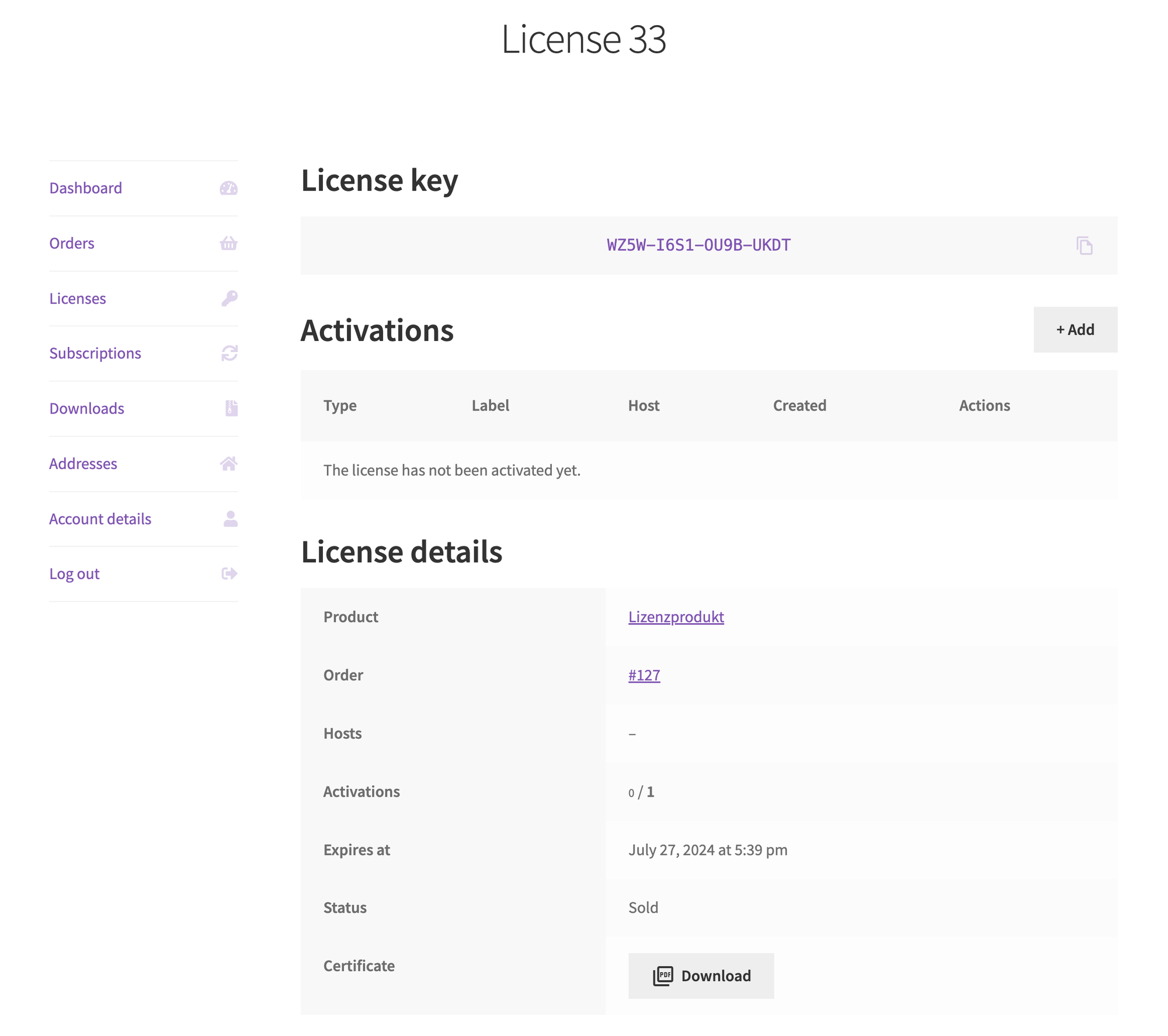
The WooCommerce account gives customers one place to find their purchased licenses, details and available management options.
License certificates
A license certificate gives customers a documented record of their legitimate license purchase.
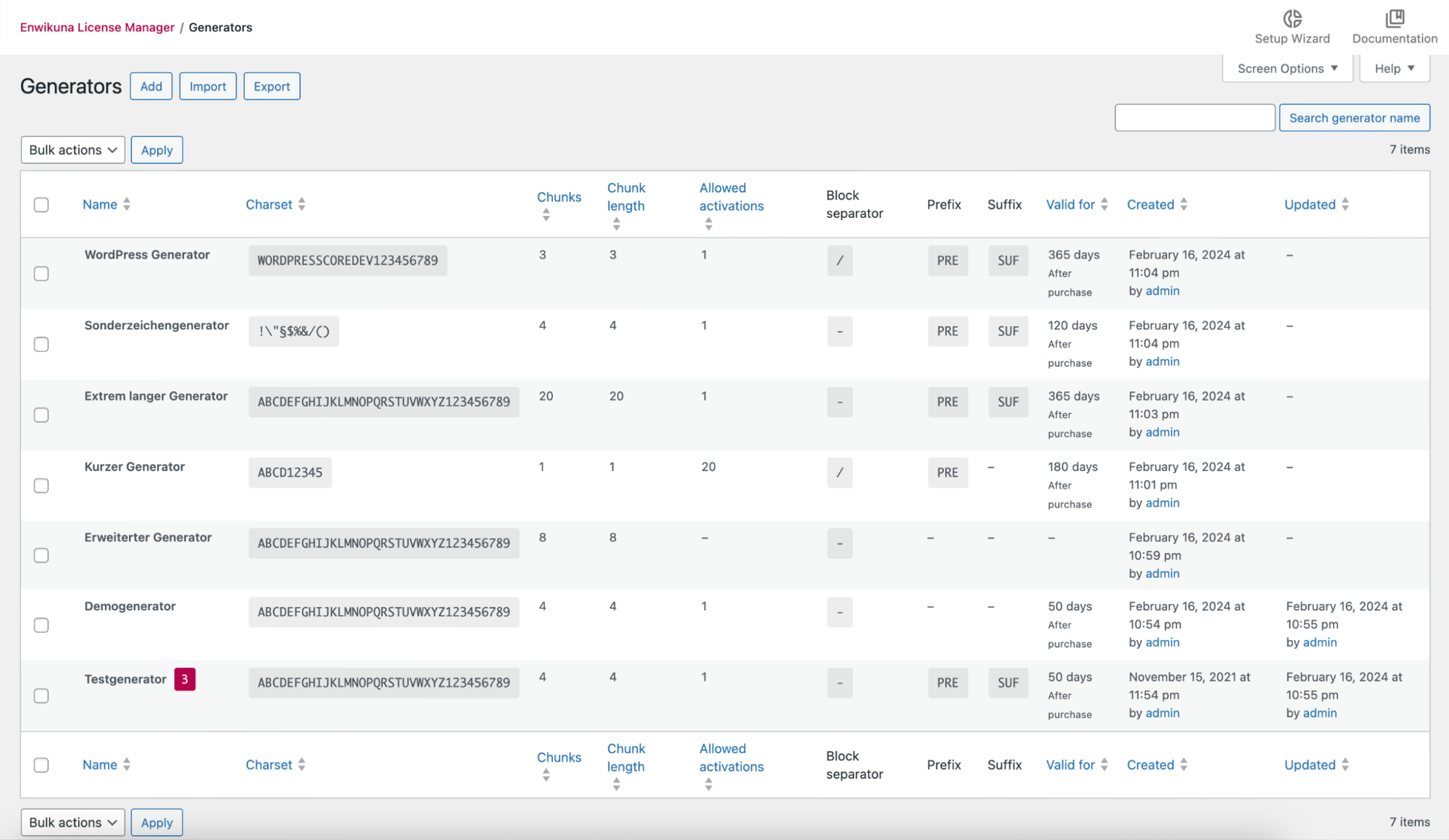
Generator table
The generator table brings all license-key templates together and makes them manageable with filters, search and bulk actions.
Generate license keys
Generators create new license keys according to your settings, ready for immediate use or to hold in stock for later sales.
Download expiration dates
Downloadable files remain available only as long as the related license because their expiration dates are kept in sync automatically.
License notifications
Automatic emails notify customers about new licenses and licenses that are approaching expiration or have already expired.
Protect pages and products
Protected pages and products are available only to customers who own a valid license for them.
Trial licenses
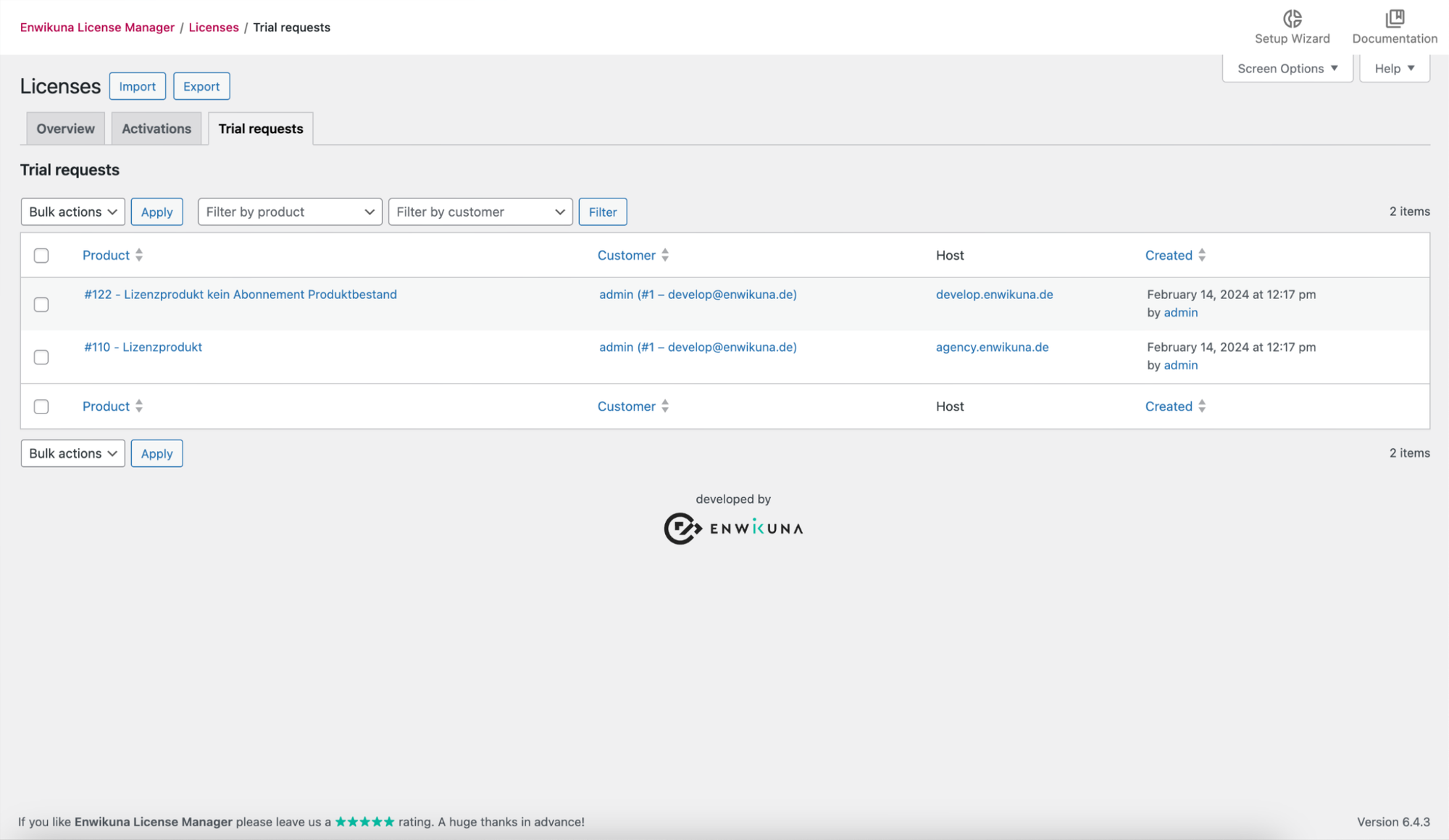
ProTrial licenses let customers evaluate your product for a defined period before they decide to buy it.
Host binding
ProHost binding limits a license to approved domains or systems and prevents its use on other hosts.
License import and export
ProImport and export lets you bring in existing license inventories, back them up or process them in other systems.
Offline license activation
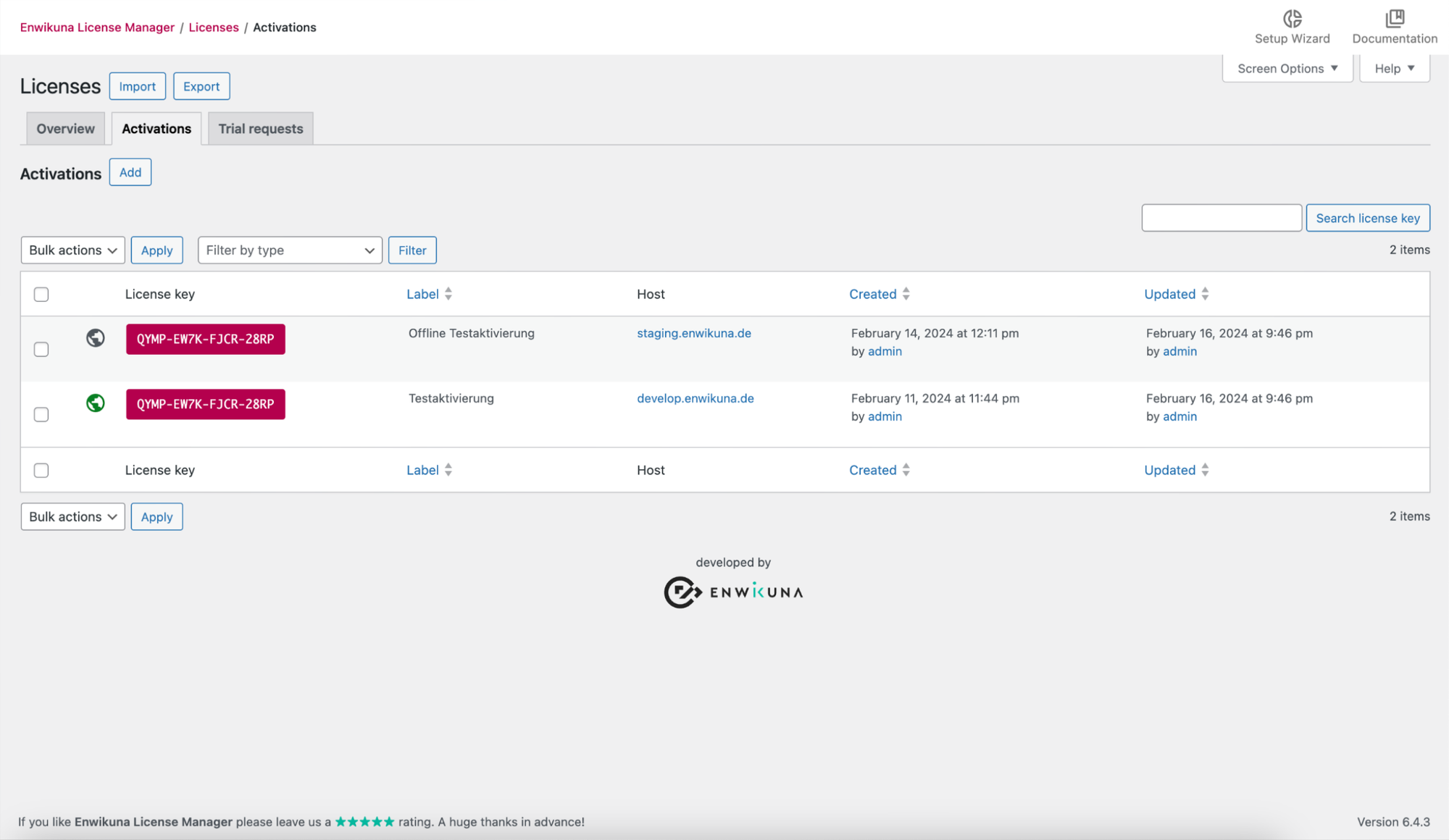
ProOffline activation licenses software that cannot or is not permitted to connect to the internet.
Generator import and export
ProGenerator configurations can be backed up, restored or moved to another installation.
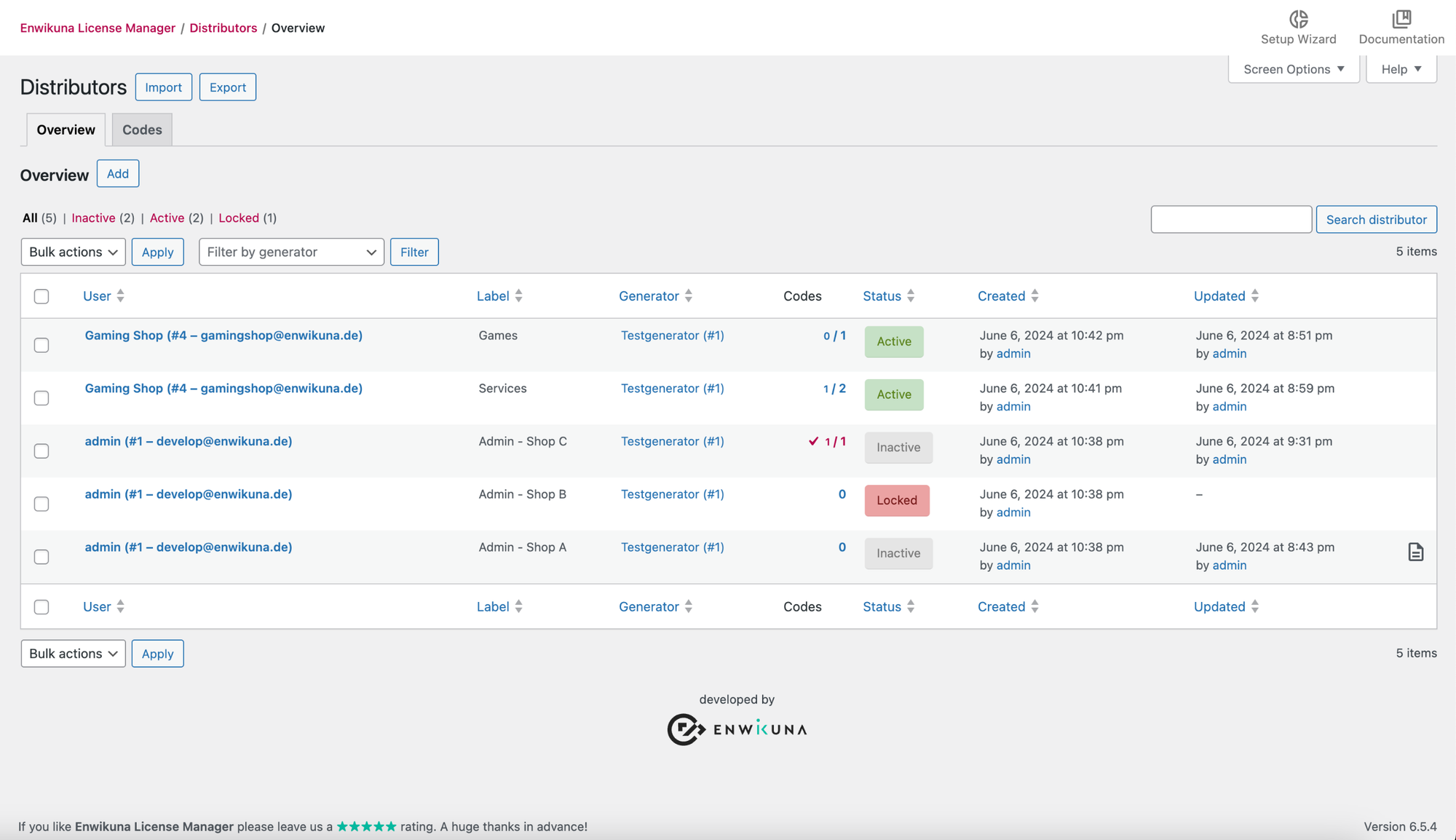
Manage distributors
ProDistributor management keeps your partners in one overview and supports search, filters and editing multiple entries together.
Internal distributor notes
ProInternal notes keep agreements and important information with the relevant distributor.
Lock distributors
ProYou can temporarily lock a distributor's access when needed and release it again later.
Encrypt distributor codes
ProDistributor codes can be stored securely in the database using a dedicated encryption key.
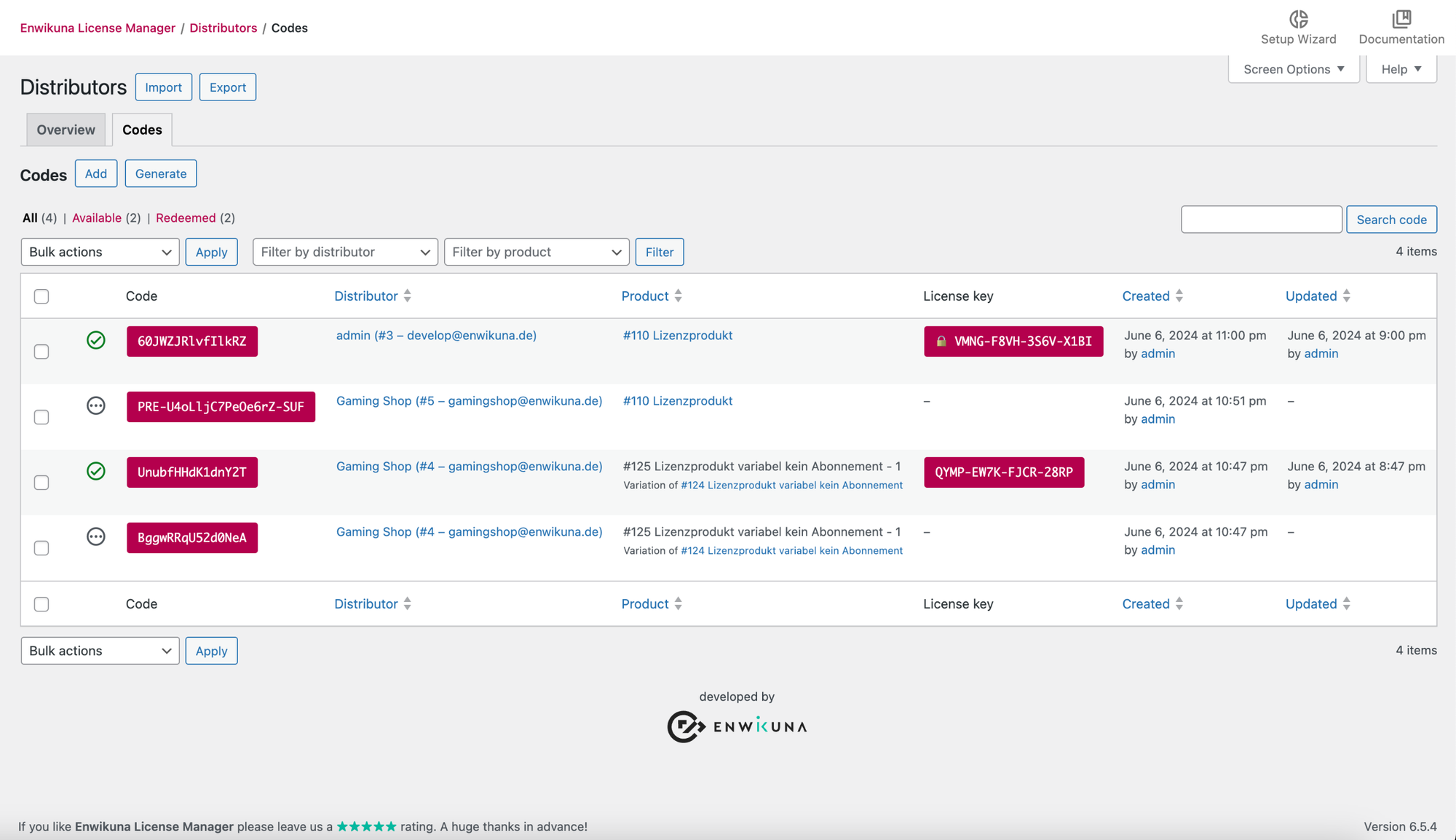
Download distributor codes
ProYou can download distributor codes as a CSV file and provide them to the relevant partner for resale.
Generate distributor codes
ProEach distributor can receive individual codes to resell, for example through their own shop.
Remove redeemed distributor codes
ProOnce a customer successfully redeems a distributor code, the used code is automatically removed from stock.
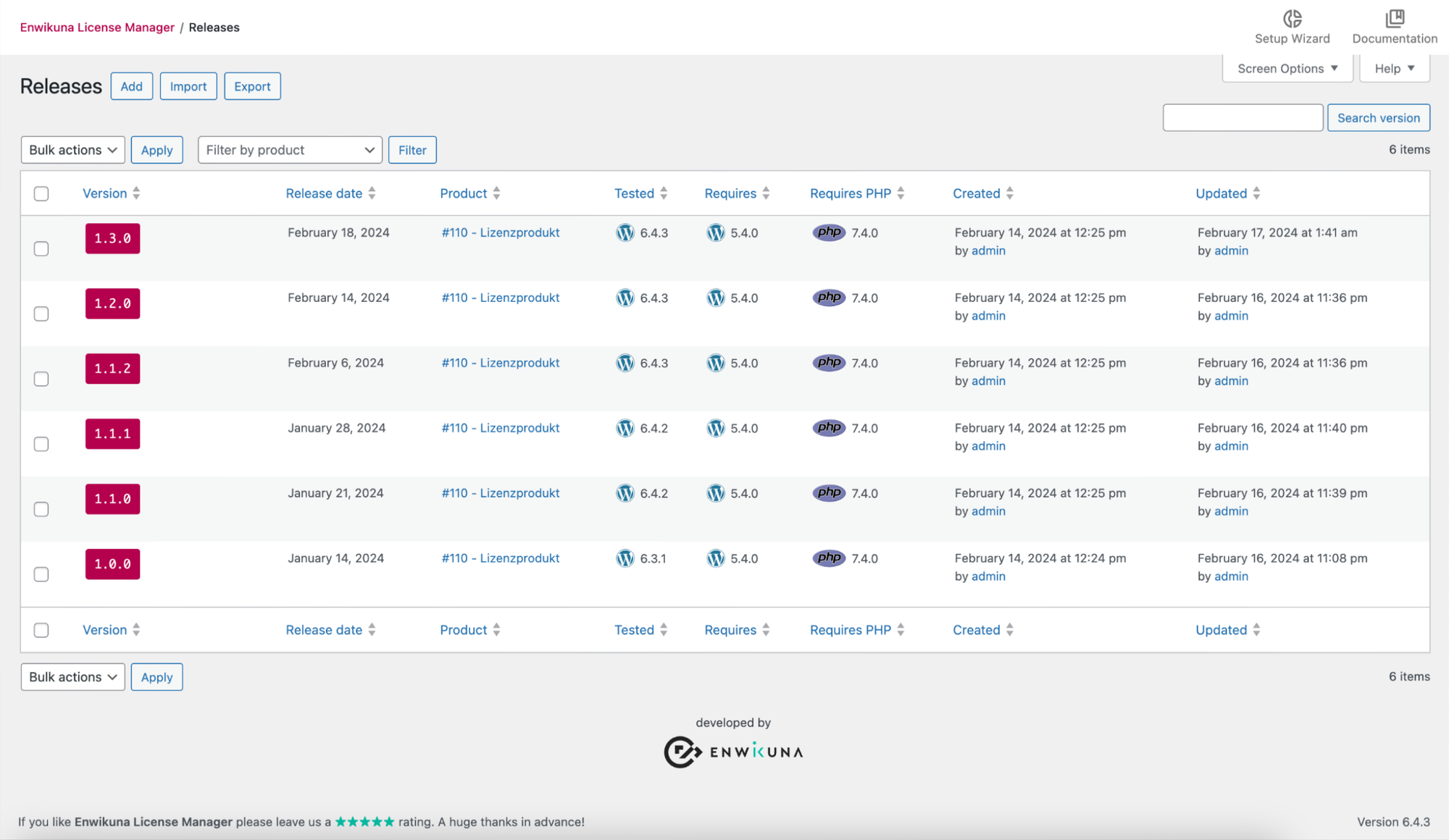
Release management
ProRelease management organizes product versions centrally and makes them easy to find or edit with search, filters and bulk actions.
REST API
ProThe REST API gives your own applications access to licenses, generators, releases, products and their installations.
Import and export releases
ProReleases can be exported for backups or imported from an existing data source.
WooCommerce Subscriptions
ProThe WooCommerce Subscriptions integration supports license subscriptions whose terms renew automatically with the related subscription.
Installed products
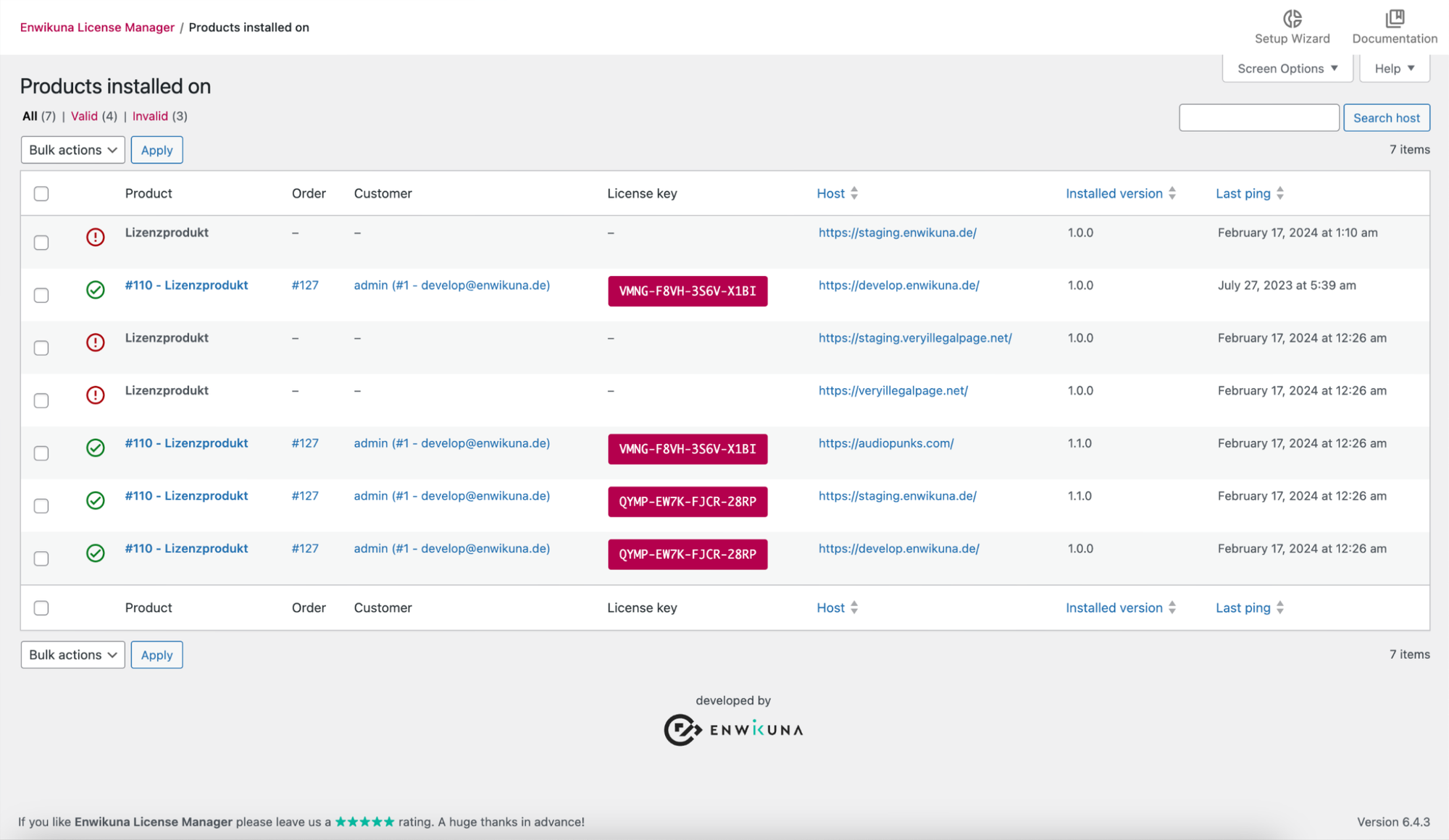
ProThe installation overview shows where your products are in use and makes entries manageable with search, filters and bulk actions.
A closer look at the product in use
Built around your shop
Sell licenses through your existing WooCommerce shop
Sales and license management stay within your own WordPress installation. You can extend the shop with multiple languages and license subscriptions as needed.
- WordPress with WooCommerce required
- WPML for multilingual shops
- Optional WooCommerce Subscriptions with Pro